
Pie: Free Events, Cool People
pieEvents
4.632.00 Reviews
- Version
- 5.36.0
- Installs
- 10.00K
- Age Rating
- Teen
Screenshots


Our Review of Pie: Free Events, Cool People
 Analysis by Appyee
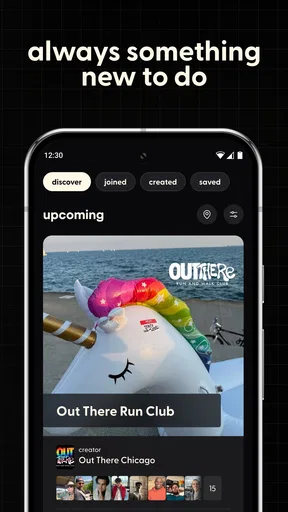
I approached Pie as an events app rather than another social feed. Its basic promise is simple: help me find places worth going to and people I might actually want to meet there. That sounds modest, but it changes how I use it. Instead of opening it for endless scrolling, I treat it as a planning tool for getting out of the house, discovering local activity, and turning a vague “we should do something” into a specific plan.
After spending time with it, I think Pie is most useful for people who enjoy trying new places but do not always know where to start. It is free, made by pie, and available for devices running Android 7.0 or later. The app is listed for Teen users, and its current version is 5.30.0. Those details make it approachable for a broad audience, although the social side still calls for normal care when meeting people or joining unfamiliar events.
How I use Pie from the first search to the actual plan
My baseline workflow is deliberately quick. I open the app with one question in mind: what could I do soon, and who might be interested? I browse the available event activity, look for something that fits my time and mood, and then decide whether it is worth saving, sharing, or acting on immediately. The important change is that I do not expect the app to plan my entire evening automatically. I use it to reduce the effort of finding an option.
That distinction matters because event discovery often fails at the last step. A calendar can show me appointments, a messaging app can help me talk to friends, and a map can show me businesses or venues. None of those tools necessarily gives me a useful starting point for meeting people around something happening. Pie sits between discovery and social coordination, which is where I found its strongest identity.
For a first session, I would not try to inspect everything. I would browse naturally, open the events that look relevant, and pay attention to the details that affect whether I would genuinely attend. Is the location convenient? Does the timing work? Does the activity sound comfortable for a first visit? Can I imagine inviting someone without needing to explain the entire idea? These questions are more useful than simply collecting a long list of possibilities.
A realistic example is a quiet weekday evening when I have finished work but do not want to stay home. Instead of sending a vague message to several friends, I can use Pie to find an appealing option first. I then share a concrete suggestion: a place, a time, and a reason to go. Even if nobody joins, the app has helped me get past the hardest part, which is turning free time into a decision.
I also found that the app works better when I use it before I need it. Looking only when I am already bored or rushed makes every choice feel less attractive. A better habit is to check it during a calm moment, notice a few possibilities, and keep one or two in mind for later. This turns Pie into a lightweight source of plans rather than an emergency search box.
Settings and small choices that deserve attention
Experienced use begins with being selective. I do not treat every visible event as equally relevant, and I avoid allowing an attractive title or image to make the decision for me. I check the practical information first, then consider the social fit. An event can look exciting but still be a poor choice if it is inconvenient, too unfamiliar, or difficult to attend alone.
I recommend reviewing the app’s available settings when you first settle in, especially anything related to how activity is displayed or how you are notified. The right setup depends on your routine. Someone who wants spontaneous plans may prefer to stay aware of new activity, while someone who dislikes interruptions should keep the experience quieter and open it intentionally. I would rather make those choices early than let the app compete with every other notification on my phone.
There is also a privacy habit worth adopting: share only what is useful for the plan. When I am considering a new social setting, I do not assume that every personal detail needs to be public or immediately available. I keep conversations focused on the event, the meeting point, and the people I already trust. Pie can help create an introduction, but it should not replace judgment about who to meet and how much information to reveal.
The Teen content rating is a useful reminder that the app is designed for a social environment, not just a private planner. Younger users should involve a trusted adult when an event includes unfamiliar people or an unfamiliar location. Adults should follow the same basic principle in a different form: meet in an appropriate public setting, tell someone where you are going, and keep an easy way to leave if the situation feels wrong.
Another setting-related choice is how often I check the app. Constant refreshing does not necessarily produce better plans. I get more value from short, purposeful visits: one check to discover, one check to confirm, and one check close to the event if needed. That rhythm keeps the app useful without turning it into another feed that demands attention.
Faster patterns for finding something worthwhile
My fastest pattern is to start with a constraint instead of an open-ended search. I decide whether I want something nearby, something social, something low effort, or something that feels new. That simple filter changes what I notice. Without a constraint, I tend to browse too broadly and postpone the decision; with one, I can dismiss options that do not fit and focus on the few that might become real plans.
A second useful pattern is separating discovery from commitment. On the first pass, I am only collecting possibilities. On the second, I ask whether I can realistically attend. This prevents me from confusing an interesting event with an achievable one. It also makes sharing easier because I can send a suggestion I have already considered rather than forwarding everything that catches my eye.
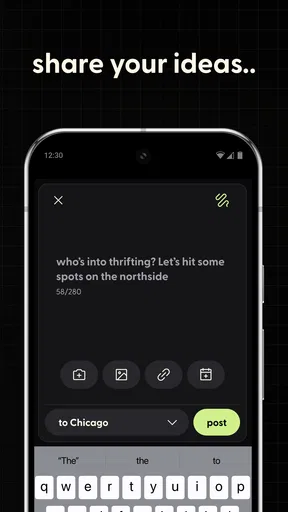
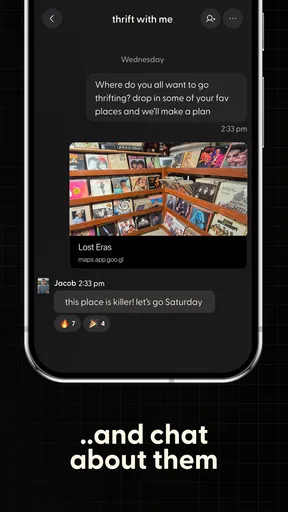
When I want to involve friends, I use a specific invitation rather than a general announcement. “Do you want to do something sometime?” creates work for everyone. “This looks like a good option on this evening; are you interested?” gives the conversation a clear direction. Pie is more effective in that second pattern because its value comes from connecting an activity with a possible social decision.
I also recommend keeping a short personal routine around events. I check the location before agreeing, confirm the time in my own calendar, and decide how I will get there. If I am meeting someone new, I arrange an independent way home. These steps are not glamorous, but they prevent the common problem where discovering an event is easy and attending it becomes stressful.
One non-obvious advantage is that Pie can help people who are socially willing but organizationally hesitant. I often do not need more invitations; I need a concrete reason to send one. By beginning with an activity, the app gives the conversation a natural subject. That can feel less awkward than trying to restart a friendship with an abstract request to meet.
There is a trade-off, though. A discovery-led app can encourage me to choose what is visible rather than what is personally meaningful. I counter that by deciding my goal before browsing. If I want to reconnect with a particular friend, I start with that person and use the event as a reason to talk. If I want to explore alone, I judge the event on convenience and comfort instead of waiting for social confirmation.
Where the experience is strongest, and where it stops
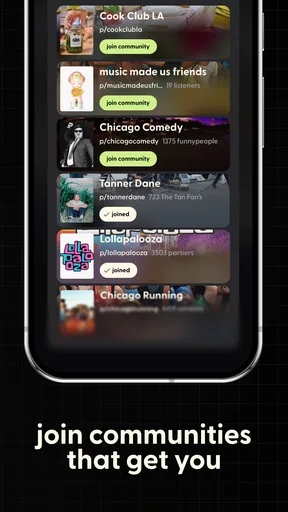
Pie is strongest when I want a bridge between “there might be something happening” and “I have a plan I can discuss with someone.” It is a good fit for people who enjoy local discovery, casual meetups, and trying places outside their usual routine. It can also suit newcomers to a city or neighborhood who need ideas that feel more active than simply searching a map.
It is less suitable when I need a complete personal scheduling system. I would still use a calendar for fixed commitments, reminders, and long-term organization. I would use a map when the main task is comparing travel routes or checking a business. I would use a regular messaging service when the people and plan are already known. Pie earns its place earlier in the process, when the activity itself is still being chosen.
I would also not rely on it as the only source for major plans. If an event matters to me, I verify the practical details before leaving and keep a backup way to contact the people involved. Discovery tools can make an idea feel definite before it is actually settled. That is not a flaw unique to Pie; it is a reason to distinguish between finding an option and confirming attendance.
The social element brings another limitation. Meeting people through an event can be more natural than starting a conversation without context, but it is not a guarantee of compatibility or safety. Some users will enjoy that openness, while others will find it tiring. If you prefer tightly controlled invitations among people you already know, a group chat may be a better fit. Pie is designed for expanding possibilities, and that naturally brings more uncertainty.
I also think the app’s usefulness depends on having enough relevant activity for your situation. If your area has little that matches your interests, the experience may feel thinner than the concept suggests. In that case, local community pages, venue calendars, or established event services may offer broader coverage. Pie is most compelling when its discovery layer gives me options I would not have assembled as quickly on my own.
The rating of 4.6 from around one hundred ratings suggests a positive reception, while over ten thousand installs show that the app has reached an early audience. I would interpret those figures as encouraging rather than conclusive. They tell me that people are finding value in the idea, but they do not remove the need to judge whether the available events and social atmosphere suit my own location and habits.
Who should try it and who should skip it
I would recommend Pie to someone who regularly says, “I want to go somewhere, but I do not know where,” especially if that person is open to meeting others through shared activities. It is also worth trying if your usual planning method is a scattered mix of social messages, map searches, and last-minute decisions. Bringing discovery into one events-focused experience can make the first step feel lighter.
I would be more cautious recommending it to someone who wants a private, highly structured organizer. The app’s appeal comes from discovery and connection, not from replacing a detailed calendar or task manager. It may also frustrate users who expect every plan to be fully confirmed, perfectly personalized, and immediately convenient. Social discovery always involves some browsing and judgment.
For families and younger users, I would treat the Teen rating as a starting point for responsible use rather than a reason to ignore supervision. Discuss meeting arrangements, transportation, and personal boundaries before attending something with unfamiliar people. For adults, the same preparation remains sensible, particularly when an event is outside a familiar area or involves people met through the app.
One practical tip is to judge the app after using it for a real planning task, not after a few minutes of casual browsing. Try to find one activity, evaluate whether it fits your schedule, and turn it into a clear invitation or personal plan. That test reveals more than the interface alone because Pie’s value is measured by whether discovery leads to action.
My verdict after building a repeatable habit
Pie, created by pie, is a focused free events app with a clear purpose: help me discover places to go and people to meet. I like it because it addresses the awkward middle ground between searching for an activity and organizing a social plan. It does not need to replace my calendar, maps, or messages. It works best as the spark that makes those tools useful afterward.
My recommended routine is simple: open it with a specific intention, check the practical details, keep notifications under control, and share one strong suggestion instead of many weak ones. If I am meeting someone new, I add sensible safety planning and keep my expectations realistic. Those habits make the experience more deliberate and reduce the friction that can make event apps feel noisy.
The current version is 5.30.0, and the app supports Android 7.0 and newer, so compatibility should not be a major obstacle for many Android users. I would still decide based on the quality of activity in my area and my comfort with social discovery. If I wanted only private scheduling, I would choose another type of tool. If I wanted a reason to leave routine behind and make a concrete plan, I would give Pie a fair try.
My final view is positive but practical: the app is most valuable when I use it as a repeatable bridge from curiosity to attendance. Browse with a purpose, choose with real-world constraints, and let the event—not endless scrolling—be the point. Used that way, Pie feels less like another social destination and more like a useful nudge toward doing something in the real world.
Privacy and Permissions
See what permissions an app requests and how it handles your data.
- Calendar
- read calendar events plus confidential information, add or modify calendar events and send email to guests without owners' knowledge
- Contacts
- read your contacts, modify your contacts
- Location
- approximate location (network-based), precise location (GPS and network-based)
- Photos/Media/Files
- read the contents of your USB storage, modify or delete the contents of your USB storage
- Storage
- read the contents of your USB storage, modify or delete the contents of your USB storage
- Camera
- take pictures and videos
- Microphone
- record audio
- Wi-Fi connection information
- view Wi-Fi connections
- Other
- view network connections, full network access, change your audio settings, control Near Field Communication, run at startup, draw over other apps, control vibration, prevent device from sleeping, read Google service configuration
Verdict
Strengths of Pie: Free Events, Cool People
- Discover free local events without paying subscription fees.
- Useful filters make it easier to find activities matching your interests.
- Event pages provide practical details such as time, place, and description.
- Helps newcomers meet people beyond their existing social circles.
- A good option for finding spontaneous plans in your city.
Limitations of Pie: Free Events, Cool People
- Available events may vary greatly depending on your location.
- Some listings may have limited information or outdated details.
- Popular events can fill up quickly, reducing your chances of joining.
- You may need to create a profile before accessing all features.
- Meeting strangers requires caution and attention to personal safety.
Similar Picks in This Category
View All
Easy Quran Mp3 Audio Offline
Muslim Worldapp4.7

Invitation Maker: Cards & RSVP
Greetings Island4.9

StubHub - Live Event Tickets
StubHub4.3

Fever: Events & Tickets
Fever Labs4.7

Epic Freebie Games Radar
Arioch Pds - Apps & Games4.4

Invitation card Maker, Design
Splendid App Maker4.9
Frequently Asked Questions
What is Pie: Free Events, Cool People?
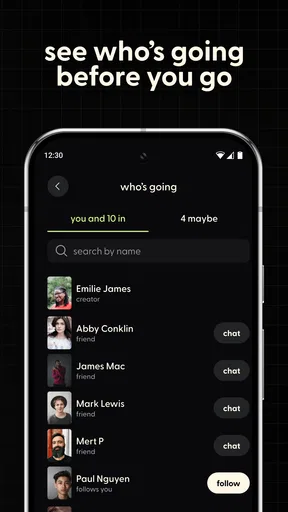
Pie: Free Events, Cool People is a social discovery app designed to help users find and join free local events while meeting people with similar interests. You can browse activities, view event details, discover who may be attending, and connect with others in your area. It is aimed at people who want to expand their social circle through real-world experiences rather than relying only on traditional messaging or dating platforms.
How does Pie help me find events and people nearby?
After creating an account and allowing location access, Pie can show events and social activities available in your area. You may be able to filter or explore options based on interests, timing, and location, then open an event to check its description and participants. The app’s usefulness depends on how active your city is, so the number and variety of available events may differ considerably between locations.
Are all events on Pie completely free to attend?
Pie focuses on free events, but users should still read each event listing carefully before making plans. Some activities may take place at venues where you are expected to pay for food, drinks, transportation, equipment, or optional services. Event availability, entry rules, capacity limits, and organizer requirements can also change. Treat the event description as the final source of information and confirm details when necessary.
Is Pie safe for meeting people in person?
Pie can make it easier to meet new people, but normal social and personal safety precautions remain important. Before attending, review the event information, communicate through the app when possible, and choose public, well-populated locations for a first meeting. Tell a trusted person where you are going, avoid sharing sensitive personal details too early, and leave immediately if an interaction makes you uncomfortable.
Does Pie require an account, and what permissions does it use?
You will generally need to create or sign in to an account to use Pie’s social and event features, such as joining activities, interacting with users, or indicating your attendance. The app may request access to your location, notifications, camera, or contacts depending on the features you use. Review the permission prompts and privacy policy carefully, and deny any access that is not necessary for your preferred experience.
